
Mapping one healthcare standard to another, such as SNOMEDCT to ICD10CM, is demanding work on its own. The relationships are rarely one-to-one, and accuracy matters. But the harder problem is that the work never really finishes. Both the source and the target terminologies publish new releases on their own schedules, and every release can trigger a ripple effect of added, retired, or replaced concepts.
Maps maintained in spreadsheets fall behind the moment that happens. Retired concepts linger, replacements go unnoticed, and the map quietly drifts away from the standards it is meant to reflect. This is the exact problem solved by the West Coast Informatics Mapping Tool 2.0 (MT2).
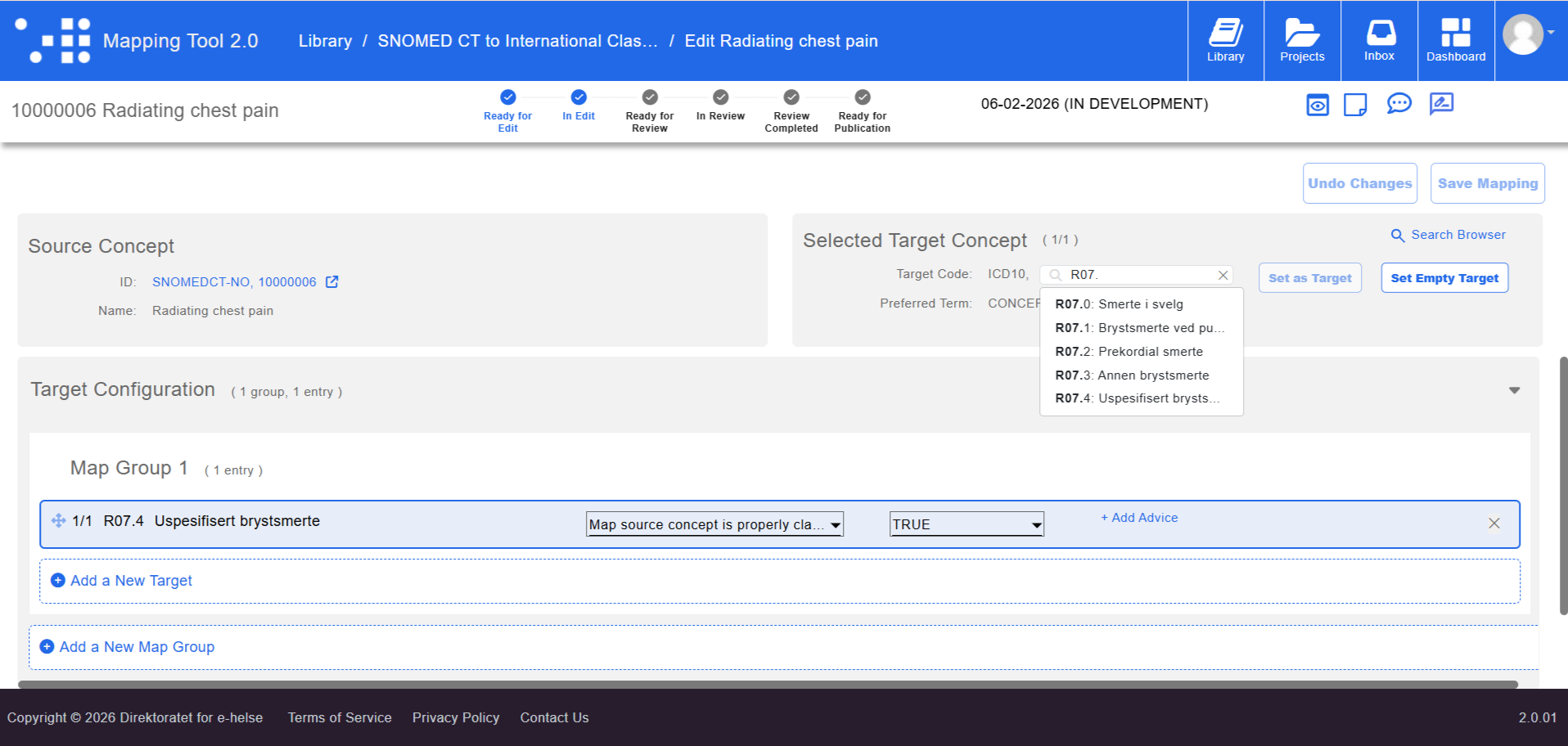
Mapping SNOMED to ICD10
MT2 is built to break the cycle of manual map maintenance. By shifting from static files to a dynamic environment, MT2 ensures your maps stay anchored to the standards they represent. Three capabilities make this possible.
Live Terminology Server Integration - MT2 is fully integrated with a terminology server, supporting Snowstorm out of the box, so mapping is always done against the current content of both the source and target standards rather than a static export. When a new version is published, MT2 works from it directly, surfacing retired and replacement concepts so teams can see exactly what changed and reconcile the affected maps with confidence. This live connection is what makes release-over-release accuracy possible.
Bulk Mapping and Editing - A new release often touches many mappings at once. Rather than fixing them one record at a time, MT2 lets teams create and edit mappings in bulk, turning what would be a tedious reconciliation into an efficient, repeatable update.
Modern Review and QA - A dedicated table view lets reviewers examine many mappings side by side, check them for quality and consistency, and make updates directly within the tool. The whole review loop stays inside MT2, reducing reliance on external tools like Excel and the version drift that comes with them.
At its core, MT2 is built to deliver standard-to-standard maps that remain highly accurate release after release, with far less manual effort and a clear, defensible record of every change.
Experience MT2 in Action
Watch an MT2 Walkthrough - Check out our full MT2 demonstration video for a guided tour of the platform’s capabilities.
Request a Demo - Ready to see how MT2 handles your specific data standards? Request a personalized demo and visit www.westcoastinformatics.com to learn more.
See Live Demo at SNOMED Expo 2026 - We are thrilled to be presenting MT2 live in a dedicated session at the SNOMED Expo in Sydney this October. Reach out to schedule a live consultation with our informatics experts to discuss your organization's data goals.